
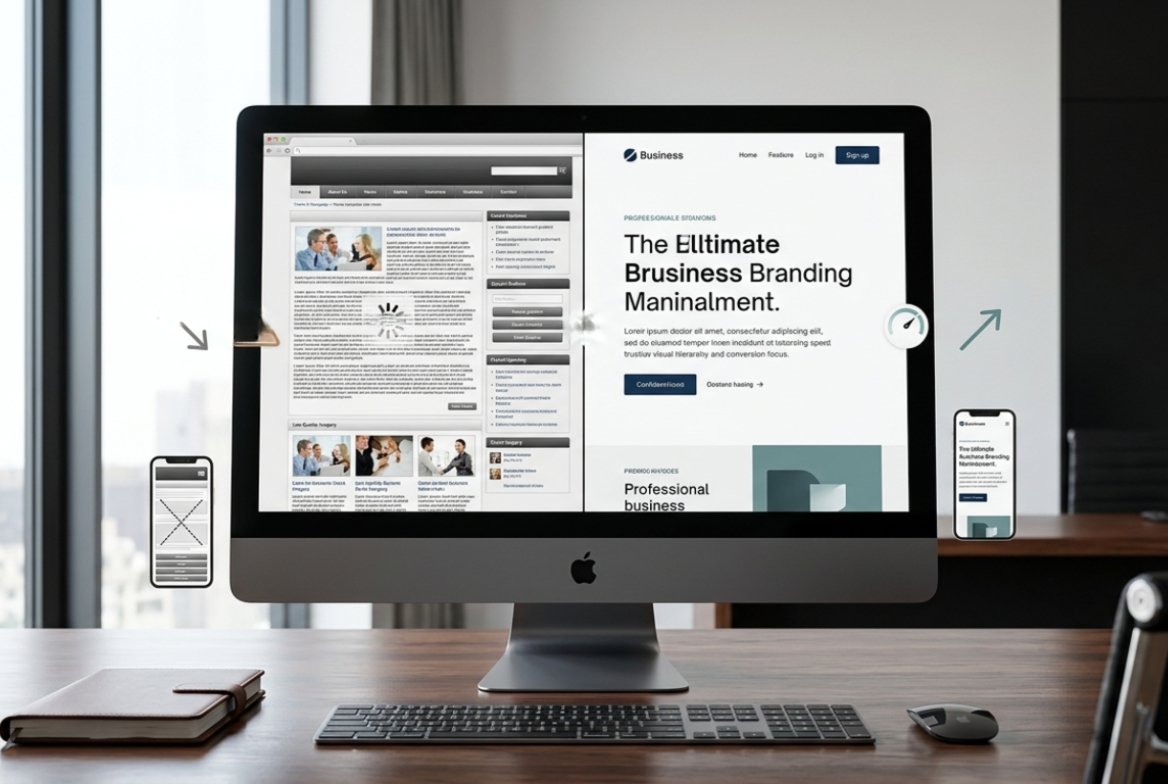
Signs Your Website Is Outdated: 10 Things to Check in 2026
Wondering about the signs your website is outdated? If your business website looks old, feels difficult to use, loads slowly, or is no longer generating enquiries, it may be time to take a closer look.
However, an outdated website is not simply a website that was created several years ago. Instead, a website becomes outdated when it no longer provides the experience, performance, functionality, security, and information that modern customers expect.
For example, a website may still open correctly when someone types your URL. Nevertheless, if it is difficult to navigate on a mobile phone, takes too long to load, or does not clearly explain what your business offers, it may already be holding your business back.
Website design, mobile browsing habits, search behaviour, and customer expectations have changed significantly over the years. Therefore, a website that looked professional five or six years ago may now make your business appear behind the competition.
In this guide, we will look at the most important signs your website is outdated. More importantly, we will explain how an old website can affect your business and when you should consider improving, redesigning, or rebuilding it.

How Do You Know If Your Website Is Outdated?
The easiest way to identify an outdated website is to stop looking at it only as the business owner. Instead, look at it from the perspective of a potential customer who has never visited your website before.
Can a new visitor immediately understand what your business does? Can they comfortably browse the website on a smartphone? Can they find your services, contact details, or enquiry form without searching?
Most importantly, does the website give visitors a reason to trust your business?
If the answer to several of these questions is no, your website may need attention. Furthermore, even if your website looks acceptable on the surface, technical and conversion problems may still be affecting its performance.
1. Your Website Looks Old or Outdated
The first and most obvious sign is the visual appearance of your website.
Design trends change over time. Consequently, layouts, typography, spacing, navigation, images, and user interface patterns that were common several years ago may now make a website look old-fashioned.
This matters because visitors often form an initial opinion about a business very quickly. Therefore, a cluttered layout, excessive text, outdated graphics, tiny fonts, inconsistent colours, or old-style navigation can make your business appear less professional.
Of course, having a modern website does not mean adding unnecessary animations or complicated visual effects. Instead, good modern web design is usually about clarity, simplicity, consistency, and making it easy for visitors to take action.
For example, a clean service page with a clear heading, useful information, relevant images, and an obvious contact button can be much more effective than a visually complicated page.
Ask yourself: If you saw your own website for the first time today, would you immediately trust the business behind it?
2. Your Website Does Not Work Properly on Mobile Devices
Another major sign your website is outdated is poor mobile performance.
Today, people regularly use smartphones to search for businesses, compare services, read information, and make enquiries. Therefore, if your website only looks good on a desktop computer, you could be losing potential customers.
A mobile-friendly website should be easy to navigate without constantly zooming, scrolling sideways, or trying to press tiny buttons.
In addition, important elements such as contact forms, phone numbers, menus, images, tables, and buttons should work properly on smaller screens.
For example, imagine that a potential customer finds your website through Google while using a smartphone. However, the page requires horizontal scrolling and the contact button is almost impossible to tap. As a result, that visitor may leave before contacting you.
Therefore, always test your website on smartphones and tablets rather than checking only the desktop version.
3. Your Website Takes Too Long to Load
Website speed is another important warning sign.
Visitors generally expect websites to load quickly. If a page takes too long to become usable, people may become frustrated and leave before they even see what your business offers.
Furthermore, slow performance can be caused by several different factors. These can include large images, unnecessary plugins, excessive scripts, poorly optimized code, inadequate hosting, or technical configuration problems.
Therefore, simply installing another optimization plugin may not always solve the problem.
You can use Google PageSpeed Insights to test your website and identify potential performance improvements.
However, a proper performance review should consider the complete website environment. For instance, images, scripts, hosting, caching, plugins, themes, and custom code can all affect loading speed.
As a result, if your website has become increasingly slow over time, it may be worth investigating the underlying cause instead of treating only the symptoms.
4. Your Website Is Not Generating Leads
A website can look attractive and still fail to generate business.
If visitors arrive at your website but rarely call, submit a form, request a quote, or contact you, something may be wrong with the customer journey.
For example, there may be no clear call-to-action. Alternatively, your contact information may be difficult to find. In other cases, visitors may simply not understand what they should do next.
Furthermore, your website may be attracting visitors who are not the right audience. Therefore, both traffic and conversion strategy need to be considered.
If this sounds familiar, read our detailed guide on why your website is not getting leads.
Moreover, a redesign should not focus only on making the website look better. Instead, it should make the website easier to understand and easier for potential customers to take the next step.
5. Your Website Navigation Is Confusing
Visitors should not have to work hard to find basic information.
If your menu contains too many items, important pages are buried several clicks deep, or users cannot easily return to the homepage, your navigation needs attention.
In addition, navigation should reflect the way your customers think about your business rather than the way your company is internally organized.
For example, a visitor looking for a service should be able to move naturally from the homepage to the service information, then to useful details, trust signals, and finally to the contact or enquiry page.
Consequently, a simple navigation structure can make the entire customer journey easier.
When navigation is confusing, visitors may simply leave rather than spend time trying to understand your website.
6. Your Website Content Is Old or No Longer Relevant
Sometimes the problem is not the design at all. Instead, the content itself has become outdated.
Therefore, review your website regularly for information such as:
- Previous business addresses
- Old phone numbers
- Outdated service descriptions
- Old team information
- Expired offers
- Old photographs
- Incorrect business hours
- References to services you no longer provide
Outdated information can damage trust quickly. For example, imagine a potential customer finding an old phone number on your website and being unable to reach you.
Similarly, an old service description can create confusion about what you currently provide.
As a result, your website should reflect what your business offers today rather than what it offered several years ago.
7. Your Website Does Not Match Your Current Brand
Your business may have changed significantly since the website was originally created.
For instance, you may have introduced new services, changed your logo, updated your brand colours, expanded into new locations, or started targeting a different type of customer.
However, your website may still represent the old version of your business.
This creates a disconnect between your current brand and your online presence. Consequently, visitors may become confused about what your business actually offers.
A website redesign provides an opportunity to bring your website in line with your current business identity. In addition, it allows you to review old content and remove information that is no longer relevant.
8. Your Website Has Weak or Missing Calls to Action
Another common sign of an outdated website is that it provides information without encouraging visitors to take the next step.
For a business website, visitors should have clear opportunities to:
- Call your business
- Send an enquiry
- Request a quote
- Book a service
- Contact your team
- Learn more about a service
Simply putting a phone number somewhere in the footer is not always enough.
Instead, calls to action should appear naturally throughout the customer journey. For example, a service page can include a relevant enquiry button after explaining the benefits of that service.
Similarly, a homepage can guide visitors toward your main services and then toward contacting your business.
Therefore, your website should not leave visitors wondering what to do next.
If you want to learn more about improving conversions, read our guide on how to increase website conversion rate.
9. Your Website Is Difficult to Update
Ask yourself how easy it is to make a simple change to your website.
Can you update a phone number, add a new service, change an image, or publish a new article without struggling?
If every small change requires technical assistance, your website may have an outdated or unnecessarily complicated setup.
However, this does not automatically mean that you need a completely new website. Sometimes the existing platform can be improved. Alternatively, rebuilding the website on a more suitable platform may be the better option.
The right solution depends on your existing website, business requirements, budget, and future plans.
Therefore, it is better to evaluate the existing system before deciding to rebuild everything.
10. Your Competitors Have Better Websites
Your website does not exist in isolation.
Customers often compare several businesses before deciding whom to contact. Therefore, if your competitors have modern websites that are faster, easier to navigate, and clearer about their services, your website may be putting you at a disadvantage.
Look at the websites of three to five businesses competing in your market.
Then ask yourself:
- Which website is easier to understand?
- Which one looks more trustworthy?
- Which one makes contacting the business easier?
- Which one works better on mobile?
- Which one explains its services more clearly?
The goal is not to copy your competitors. Instead, use the comparison to identify where your own website can improve.
Moreover, remember that a competitor having a better-looking website does not automatically mean they provide a better service. However, their website may communicate their value more effectively.
Does an Outdated Website Hurt Your Business?
Yes, an outdated website can affect much more than appearance.
Your website is often one of the first places where a potential customer interacts with your business. Therefore, if the experience is poor, that first impression can influence whether they continue exploring or choose another company.
An outdated website can potentially affect:
- Customer trust
- Lead generation
- Mobile usability
- Search visibility
- User experience
- Conversion rates
- Brand perception
Furthermore, these problems can reinforce each other.
For example, a slow website may frustrate visitors. Poor navigation may then make it harder for them to find your services. Finally, weak calls to action may prevent them from contacting you.
Consequently, what looks like a simple design problem may actually be a larger business and conversion problem.
Is Your Website Outdated or Just in Need of a Few Improvements?
Not every old-looking website needs to be completely rebuilt.
Sometimes, a website can be improved through targeted changes such as:
- Updating the visual design
- Improving mobile responsiveness
- Optimizing images
- Improving page speed
- Rewriting important content
- Adding stronger calls to action
- Improving navigation
In other situations, the underlying technology may be too old, difficult to maintain, or unsuitable for the business.
In that case, rebuilding the website may make more sense. However, you should make that decision after reviewing the existing website rather than simply assuming that everything needs to be replaced.
If you are unsure which approach is right for you, our guide on WordPress vs Custom Website can help you understand the differences between the two approaches.
Should You Redesign Your Website or Build a New One?
This is one of the most important decisions to make before starting a website project.
A redesign may be suitable when the existing website has a reasonable structure and technology but needs improvements in design, content, speed, or usability.
On the other hand, a new website may be a better choice when the existing system is outdated, difficult to maintain, insecure, poorly structured, or unable to support the features your business now needs.
Nevertheless, there is no single answer that works for every business.
Therefore, before spending money, it is worth getting an assessment of your current website and understanding what actually needs to change.
What Should a Modern Business Website Have?
A modern website should be designed around the needs of its customers and the goals of the business.
Depending on the type of business, important elements can include:
- Responsive mobile-friendly design
- Fast page loading
- Simple navigation
- Clear service information
- Strong calls to action
- Easy-to-use contact forms
- Search engine-friendly structure
- Secure website configuration
- Regular backups
- Reliable hosting
- Ongoing maintenance
These elements work together. For example, a beautiful website that is slow or difficult to use is still a poor business website.
Similarly, a fast website with confusing content may not generate the results you expect.
Therefore, the best website strategy considers design, technology, content, performance, SEO, and conversion together.
Why Hosting and Maintenance Matter After a Redesign
Redesigning your website is only part of maintaining a healthy online presence.
After your website goes live, it still needs reliable hosting, backups, security updates, monitoring, and maintenance.
At Codeiq Technology, we can manage the hosting and technical maintenance for businesses that prefer a hassle-free solution. Our hosting starts from ₹1,500 per year. Furthermore, businesses that choose our managed hosting can also benefit from backup and maintenance support as part of the service.
This means you do not have to spend your time worrying about technical issues, website files, or regular backups while you focus on running your business.
In addition, we take responsibility for helping keep the website environment properly managed, so business owners can focus more on their customers and less on technical administration.
If you prefer to use your own hosting provider, that is completely fine too. You can host your website with another provider and retain control of your hosting account. We can work with your existing hosting environment as long as it meets the technical requirements of the project.
How Much Does a Website Redesign Cost in India?
The cost depends on the current condition of your website and what needs to be changed.
A small business website requiring a visual refresh will have different requirements from a large website that needs new functionality, content restructuring, SEO improvements, and a complete technical rebuild.
Therefore, several factors can influence the cost, including:
- Number of pages
- Design requirements
- Platform
- Custom functionality
- Content requirements
- SEO work
- Third-party integrations
- Hosting and maintenance
For a more detailed discussion, read our guide to website redesign cost in India.
Moreover, getting a clear scope before starting the project can help prevent unexpected costs later.
How to Check If Your Website Needs a Redesign
You can use this quick checklist to evaluate your website.
- Does your website look modern?
- Does it work properly on smartphones?
- Does it load quickly?
- Can visitors understand your business within a few seconds?
- Is your contact information easy to find?
- Are your calls to action clear?
- Is your content current?
- Does the website represent your current brand?
- Can you easily update important information?
- Is the website generating enquiries?
If you answered “no” to several of these questions, it is worth getting your website reviewed.
Furthermore, you do not necessarily have to commit to a redesign immediately. First, identify the problems. Then, determine which problems are affecting customers and business results the most.
Do You Really Need a New Website?
Not necessarily.
This is important because a good web development company should not tell every business to rebuild its website simply because the website looks old.
Sometimes, a few targeted improvements can solve the problem. In other cases, a complete redesign is justified. Finally, some businesses may benefit from rebuilding the website from the ground up.
The right decision should be based on your business goals, existing website, technical requirements, budget, and future plans.
Therefore, the first step should always be understanding the problem before deciding on the solution.
Get a Free Website Audit, Consultation and Quote
If you have noticed several signs your website is outdated, you do not have to decide what to do on your own.
At Codeiq Technology, we can review your existing website and help you understand what is actually wrong with it.
For example, we can help identify issues related to design, mobile responsiveness, website speed, navigation, content, SEO, conversion, and technical maintenance.
You can start with:
- Free Website Audit – Find potential design, technical, performance, and conversion issues.
- Free Consultation – Discuss what your business actually needs.
- Free Quote – Understand the possible scope and cost before making a decision.
Final Thoughts
A website does not become outdated simply because it is a few years old. Instead, what matters is whether it still performs well for your customers and your business.
If your website is slow, difficult to use, poorly optimized for mobile devices, hard to update, or failing to generate enquiries, those are signs worth taking seriously.
However, you do not necessarily need to rebuild everything immediately. First, understand what is wrong. Then, determine whether a few improvements, a complete redesign, or a new website would provide the best solution.
A website redesign should not be about changing things simply for the sake of having a new design. Instead, it should make your website easier to use, easier to manage, and more effective at helping your business grow.
Still not sure what your website actually needs? Drop us a message. We will provide a free consultation and help you understand whether you need a few improvements, a complete redesign, or a new website altogether.
We don’t just provide websites. We provide services designed to deliver.


Insights That Help Businesses Grow